

Capture LinkedIn contacts into HubSpot — without copy-paste
Manual entry means tab-switching, typos, and empty CRM fields. SurroundR captures from the LinkedIn profile you are already on — one click into HubSpot.
New here? Getting started guide
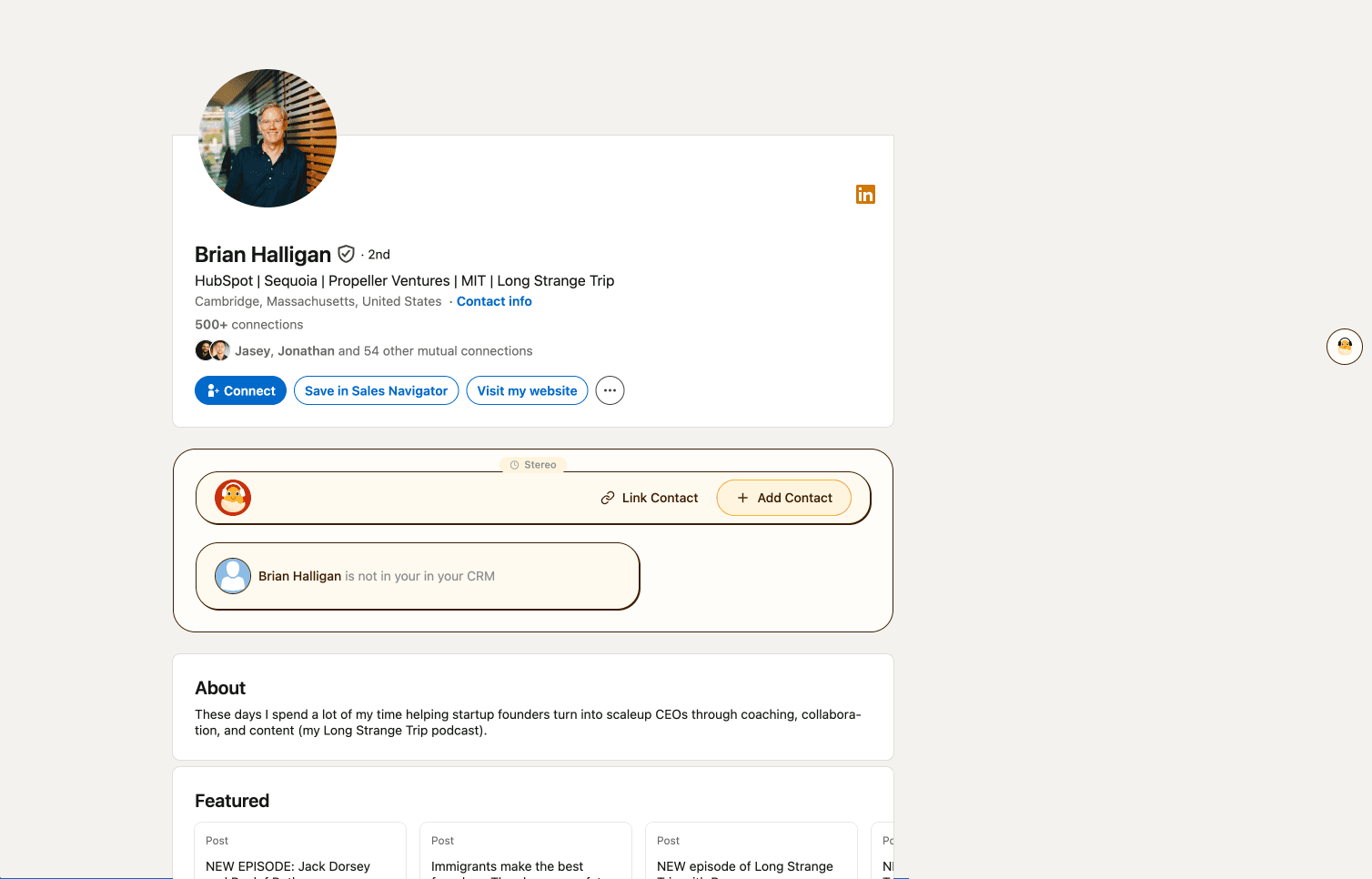
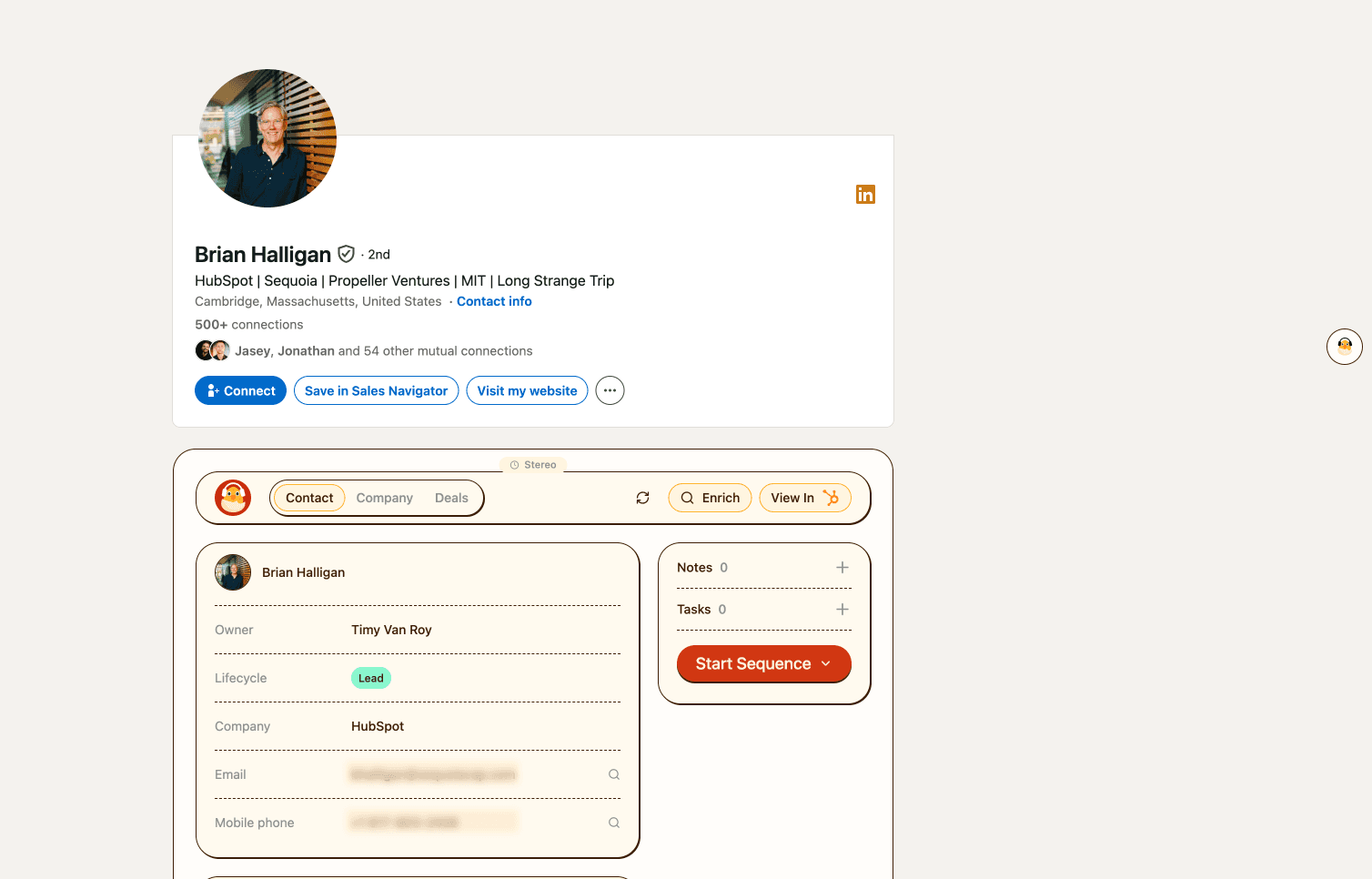
The capture workflow, side by side
Same job — get this LinkedIn profile into HubSpot. Different cost in time, typos, and duplicate records.
Before
Tab-switch, retype, hope
Open HubSpot in another tab. Copy name, title, company by hand. Fix typos later — if you notice them.
After SurroundR
One click on the profile
Name, title, company, owner, and lifecycle stage write to HubSpot from the page you are already viewing.
1 · Before / after
Capture in place — not across tabs
Without SurroundR you bounce between LinkedIn and HubSpot, retyping name, title, and company. With SurroundR you stay on the profile and click once — the contact lands in HubSpot already filled in.
How dedup decides
Match keys before create
If any key matches an existing HubSpot contact, SurroundR updates that record. Custom unique identifiers your team uses outside these keys are not matched by default.
- Phone
- LinkedIn URL
2 · Dedup
Update existing contacts — do not spawn duplicates
SurroundR matches on email, phone, or LinkedIn URL. If a match is found, it updates the existing HubSpot record instead of creating a duplicate. Empty fields get filled from the capture and enrichment run.
Verified product facts
Time saved and accuracy — claims we already publish
2 seconds
per contact capture
100 credits
per month on Free — no card
20+ vendors
enrichment waterfall on save
Go deeper
HubSpot depth, methods, and setup
FAQ — capturing LinkedIn contacts into HubSpot
How capture, dedup, and HubSpot permissions work — expand if you are evaluating SurroundR.
INSTALL SURROUNDR
Capture the next profile in two seconds.
Install SurroundR free — 100 credits per month, no card. Capture from LinkedIn, enrich on save, land in HubSpot ready to action.
Add to Chrome - FreeSee how it worksOn mobile? Email yourself the Chrome Web Store link on the getting-started page.